Exercise 2: Reconnaissance of Evidence-App
Estimated Time to Complete: 15 minutes
Objectives
- Interact legitimately with the evidence-app deployment
- Perform reconnaissance of the evidence-app components, to include:
- Spidering the web content
- Finding references to other application endpoints
- Discovering other cloud resource types which are a part of the application
Challenges
Challenge 1: Interact with Evidence-App
If you still have the evidence-app home page open in another tab, you will now interact with the application. This application is rather trivial to user: choose a file on your local system to upload and clicking Submit.
Upload any file from your local system you wish (as long as there are no spaces), but keep it small (<2 MB) as the app does not yet support large files.
Solution
-
If you closed the browser tab containing the evidence-app homepage, you can find the homepage URL by executing the following command in your CloudShell session:
aws cloudfront list-distributions | jq -r \
  '.DistributionList.Items[] | select(.Comment == "evidence Website") | "https://" + .DomainName'
Expected Result
https://d2x6hc15286uu2.cloudfront.net -
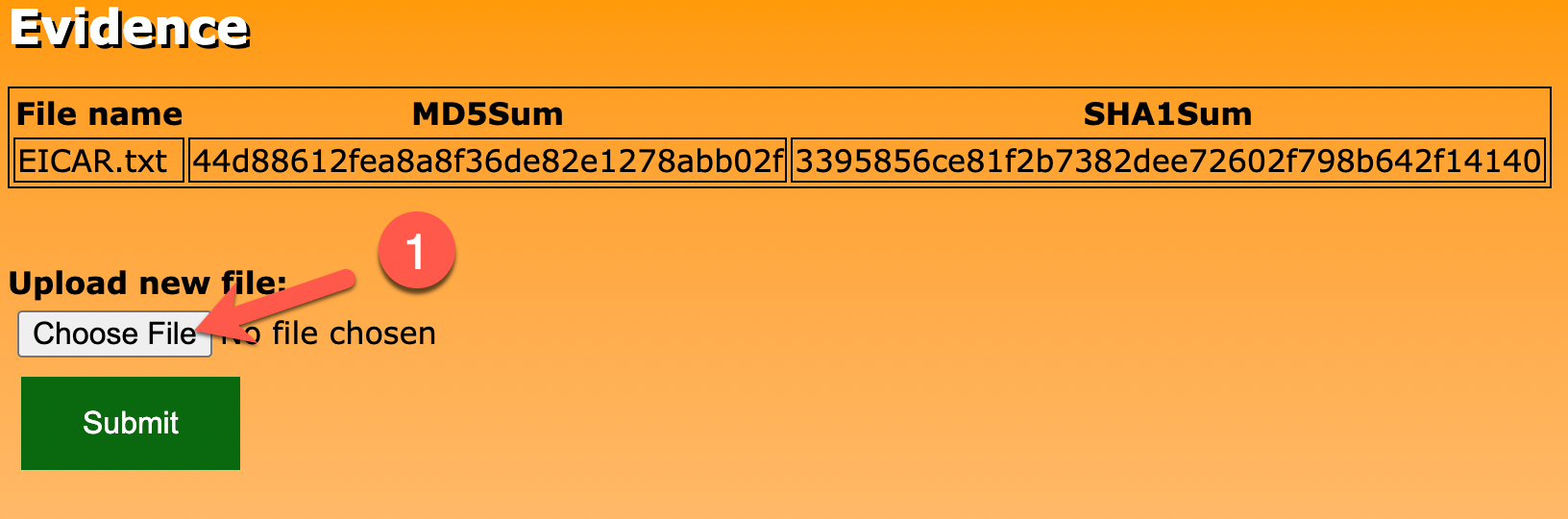
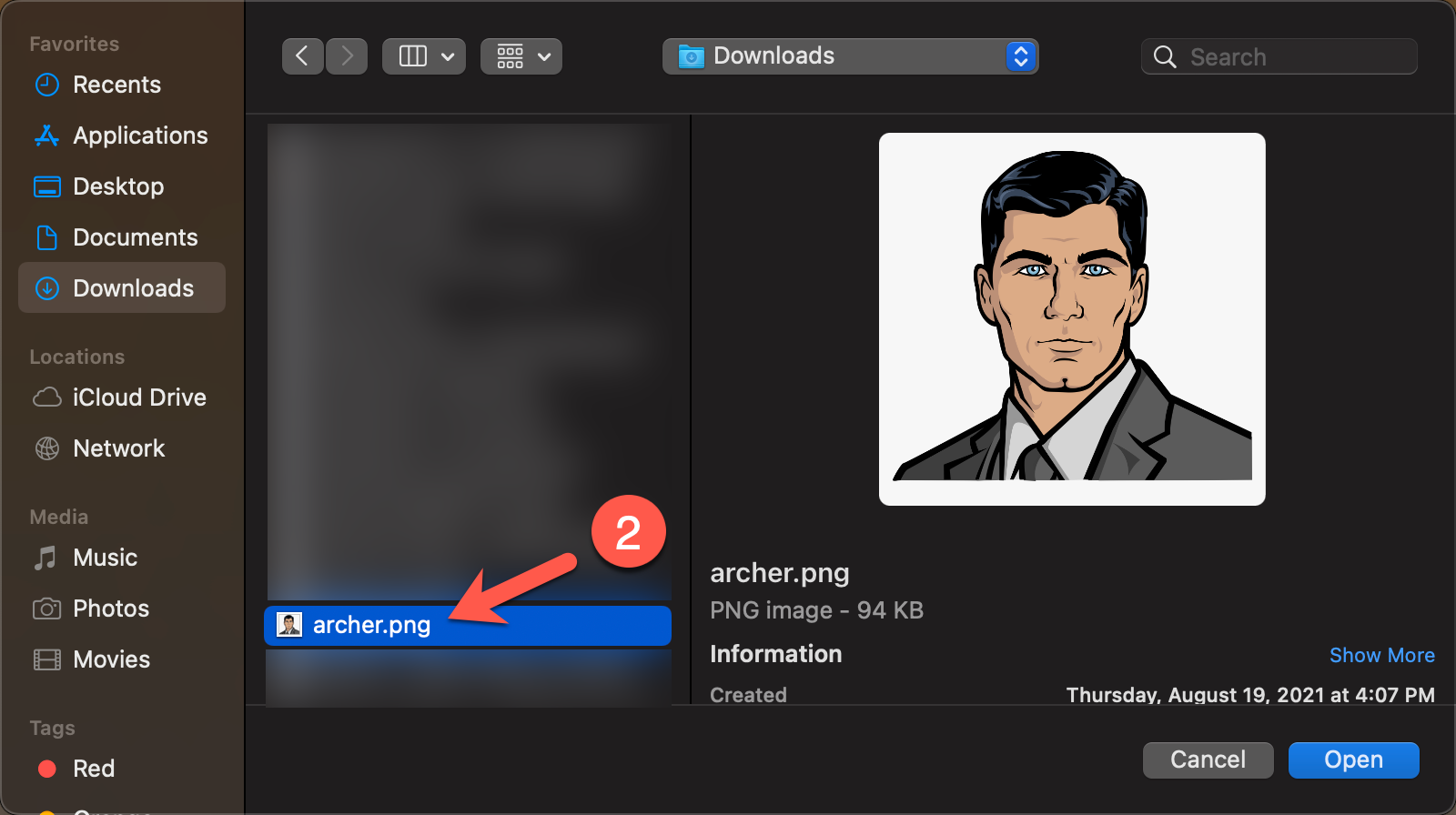
Click on the Choose File button (1) and select a file of your choice (2).
-
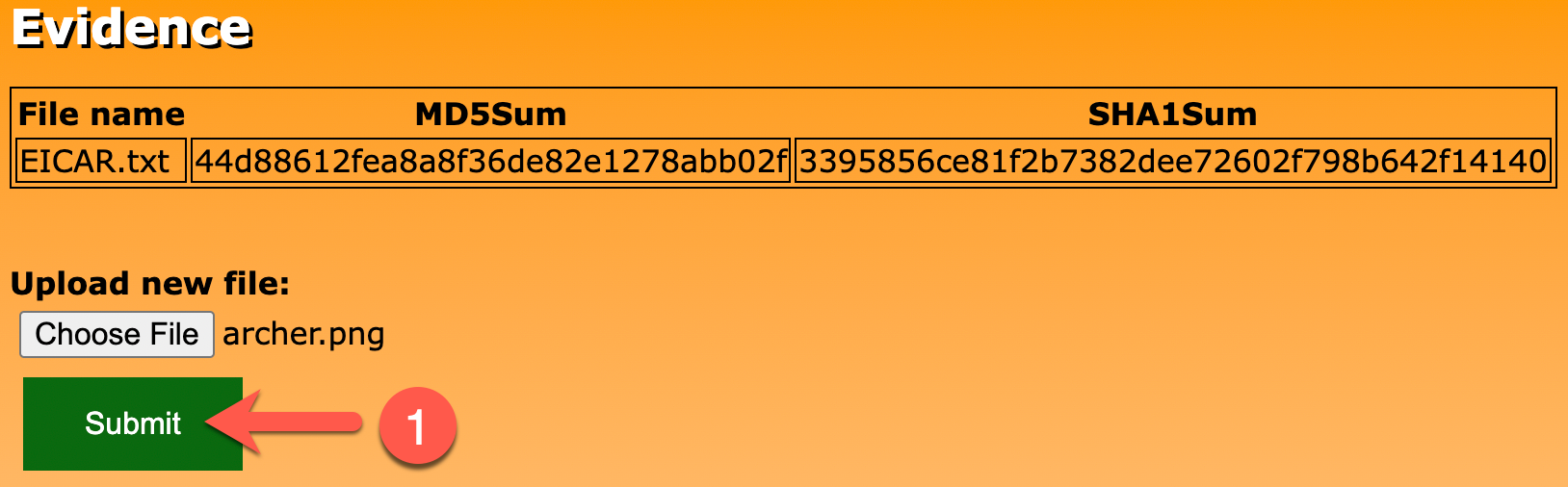
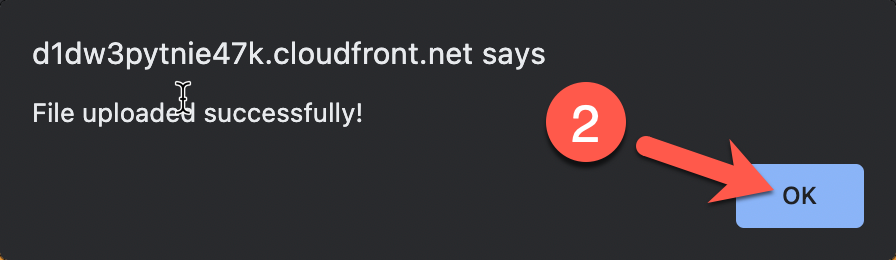
Click the Submit button (1). Click on the OK button in the alert popup (2). After a few moments, the file will be hashed and the results loaded on the page (3).

-
Just by simply using the application, we can infer that a few things are happening "behind the scenes":
- The file uploaded is being hashed using two algorithms:
MD5andSHA1. - The name of the file and the results of hash functions are being stored and presented on the web page post upload.
- The file uploaded is being hashed using two algorithms:
Challenge 2: Spider Evidence-App Web Component With wget
Of course, we have access to the code itself, but let's try to replicate what an attacker may perform when trying to learn more about a target web application. One common approach to quickly gather as many moving parts as they can is to spider the web site. Spidering is often performed using a tool which extracts and follows links recursively and presents the results to the attacker so that they can get a quick picture of the files referenced by the application - increasing their potential attack surface.
Built into CloudShell is a tool that can do just that - wget. It's not fancy, but will easily do the job for us. Use wget within your CloudShell session to spider the evidence-app and uncover some additional web files and content.
Solution
-
Since we plan to interact with the target URL over and over again, it would be wise to set the URL to an environment variable to limit how many characters are typed with each subsequent command. Below is a quick way to set
TARGETto the URL provisioned previously.cd /home/cloudshell-user/evidence-app export TARGET=$(aws cloudfront list-distributions | jq -r \ '.DistributionList.Items[] | select(.Comment == "evidence Website") | "https://" + .DomainName') echo "The target URL is: $TARGET"Expected Result
The target URL is: https://d1dw3pytnie47k.cloudfront.net -
Since environment variables may not stick around when the session stops/starts, we will also add it to the
.bashrcfile so that new sessions will automatically set this variable for us.echo "export TARGET=$TARGET" >> /home/cloudshell-user/.bashrc cat /home/cloudshell-user/.bashrcExpected Result
# .bashrc # Source global definitions if [ -f /etc/bashrc ]; then . /etc/bashrc fi # Uncomment the following line if you don't like systemctl's auto-paging feature: # export SYSTEMD_PAGER= # User specific aliases and functions complete -C '/usr/local/bin/aws_completer' aws export AWS_EXECUTION_ENV=CloudShell export TARGET=https://d1dw3pytnie47k.cloudfront.net -
Now we can start spidering the site. The following command, while quite busy, is performing the following:
- Connecting to the site (
wget) - Spidering the site (
--spider) - Forcing the response to be treated as HTML code (
--force-html) - Hitting any hosts referenced by links (
--span-hosts) - Setting the
User-Agentheader to something else (--user-agent) - Ignoring parent directories (
--no-parent) - Rate limiting how aggressive the spidering will happen (
--limit-rate) - Visiting a page even if it's referenced in
robots.txt(--execute robots=off) - Recursively visit pages (
--recursive) to a set depth (--level) - Write results to a file (
--output-file)
wget --spider --force-html --span-hosts --user-agent="TotallyNotWget" \ --no-parent --limit-rate=20k --execute robots=off --recursive \ --level=2 $TARGET --output-file /tmp/wget.log - Connecting to the site (
-
The results were saved in the
/tmp/wget.logfile. Review the results using thecatcommand.cat /tmp/wget.logExpected Results
Spider mode enabled. Check if remote file exists. --2022-07-06 17:14:29-- https://d1dw3pytnie47k.cloudfront.net/ Resolving d1dw3pytnie47k.cloudfront.net (d1dw3pytnie47k.cloudfront.net)... 18.67.66.90, 18.67.66.186, 18.67.66.55, ... Connecting to d1dw3pytnie47k.cloudfront.net (d1dw3pytnie47k.cloudfront.net)|18.67.66.90|:443... connected. HTTP request sent, awaiting response... 200 OK Length: 935 [text/html] Remote file exists and could contain links to other resources -- retrieving. --2022-07-06 17:14:30-- https://d1dw3pytnie47k.cloudfront.net/ Reusing existing connection to d1dw3pytnie47k.cloudfront.net:443. HTTP request sent, awaiting response... 200 OK Length: 935 [text/html] Saving to: ‘d1dw3pytnie47k.cloudfront.net/index.html’ 0K 100% 216M=0s <snip> Removing d1dw3pytnie47k.cloudfront.net/Cloud_Ace_Final.png. unlink: No such file or directory Found no broken links. FINISHED --2022-07-06 17:14:30-- Total wall clock time: 0.7s Downloaded: 1 files, 935 in 0s (216 MB/s) -
That is quite noisy. We just want the files referenced. You can use
egrepto extract those newly discovered URLs:egrep "http(s)?" /tmp/wget.logExpected Results
--2022-07-06 17:14:29-- https://d1dw3pytnie47k.cloudfront.net/ --2022-07-06 17:14:30-- https://d1dw3pytnie47k.cloudfront.net/ --2022-07-06 17:14:30-- https://d1dw3pytnie47k.cloudfront.net/styles.css --2022-07-06 17:14:30-- https://d1dw3pytnie47k.cloudfront.net/script.js --2022-07-06 17:14:30-- https://ajax.googleapis.com/ajax/libs/jquery/3.6.0/jquery.min.js --2022-07-06 17:14:30-- https://d1dw3pytnie47k.cloudfront.net/Cloud_Ace_Final.png -
A few of these may not seem too interesting. For example, we see what we already know (the CloudFront URL itself), a
styles.cssfile which is likely referenced to style the page, and an image (Cloud_Ace_Final.png). There are two client-side scripts that appear to be referenced as well:script.jsandjquery.min.js.
Challenge 3: Discover References to Other Endpoints
At least for now, let's rule out jquery.min.js as a potential target as that is commonly used to add JQuery functionality to the client's browser. That leaves the script.js file to analyze. Take a quick look at the contents of that file and see if there is anything of value in the code.
Solution
-
To see what's in that file, you can simply use
curlto the URL ending inscript.js. Here's a command that also leverages the previously-savedTARGETenvironment variable:curl -w '\n' $TARGET/script.jsExpected Result
function getEvidence() { $.ajax({ url: "https://d1dw3pytnie47k.cloudfront.net/api/", type: "GET", success: (response, textStatus, jqXHR) => { populateTable(JSON.parse(response.replaceAll("'", '"'))); }, error: (jqXHR, textStatus, errorThrown) => { $("#result").html("ERROR!"); } }); } function populateTable(response) { table = "<table><tr><th>File name</th><th>MD5Sum</th><th>SHA1Sum</th></tr>" console.log(response.Items); response.Items.forEach(element => { table += "<tr><td>" + element.FileName.S + "</td><td>" + element.MD5Sum.S + "</td><td>" + element.SHA1Sum.S + "</td></tr>"; }); table += "</table>"; $("#result").html(table); } function uploadEvidence() { var file = document.getElementById("myFile").files[0]; if (file) { var reader = new FileReader(); reader.readAsBinaryString(file); reader.onload = function (evt) { $.ajax({ url: "https://d1dw3pytnie47k.cloudfront.net/api/", type: "POST", data: JSON.stringify({ file_data: btoa(reader.result), file_name: document.getElementById("myFile").files[0].name }), dataType: "text", success: (response, textStatus, jqXHR) => { alert("File uploaded successfully!"); getEvidence(); }, error: (jqXHR, textStatus, errorThrown) => { alert("ERROR UPLOADING FILE"); getEvidence(); } }); } reader.onerror = function (evt) { alert("Error reading file!"); } } } -
If you look closely at the
getEvidence()anduploadEvidence()functions, there are calls to the same URL we saw before, but with a new endpoint:/api/. -
If you look even closer, you'll see that this new endpoint is connected to with two different HTTP methods:
GETandPOST. Here is a command to help see this more clearly:curl -w '\n' -s $TARGET/script.js | grep url -A1Expected Result
    url: "https://d1dw3pytnie47k.cloudfront.net/api/",
    type: "GET",
--
        url: "https://d1dw3pytnie47k.cloudfront.net/api/",
        type: "POST",
Challenge 4: Interact with Newly-Discovered Endpoint
Now that you found another interesting endpoint, communicate with it to see what may be returned.
Solution
-
First, let's try a
GETrequest to the/api/endpoint (PressingEnterafter the command returns).curl -w '\n' -X GET $TARGET/api/Expected Result
{'Items': [{'SHA1Sum': {'S': 'cdb029362f94520e9c5710351496bdc40a42892f'}, 'FileName': {'S': 'archer.png'}, 'MD5Sum': {'S': '538fc92e315b84506e73e6c8115a0d1f'}}, {'SHA1Sum': {'S': '3395856ce81f2b7382dee72602f798b642f14140'}, 'FileName': {'S': 'EICAR.txt'}, 'MD5Sum': {'S': '44d88612fea8a8f36de82e1278abb02f'}}], 'Count': 2, 'ScannedCount': 2, 'ResponseMetadata': {'RequestId': 'GT0U2FMSEC2OHEKIGRK2880LF7VV4KQNSO5AEMVJF66Q9ASUAAJG', 'HTTPStatusCode': 200, 'HTTPHeaders': {'server': 'Server', 'date': 'Wed, 06 Jul 2022 17:29:38 GMT', 'content-type': 'application/x-amz-json-1.0', 'content-length': '319', 'connection': 'keep-alive', 'x-amzn-requestid': 'GT0U2FMSEC2OHEKIGRK2880LF7VV4KQNSO5AEMVJF66Q9ASUAAJG', 'x-amz-crc32': '1040578'}, 'RetryAttempts': 0}} -
It took a few moments, but looks like what is returned is a JSON document containing all of the information used to populate the table on the web page (and then some). Nothing else seems too incredibly interesting, but keep this command in mind for a later exercise (HINT HINT).
-
Now, let's try a
POSTrequest to the same endpoint.curl -w '\n' -X POST $TARGET/api/Expected Result
{"message":"Internal Server Error"} -
Hmm... we get an error here. Since this is a
POSTrequest, the application is probably expecting some data along with the request. Stay tuned for the next exercise on how to determine what kind of data this application is expecting..
Challenge 5: Uncover Application Components
Since we know that the POST method likely requires data, we will work with this a bit later. For now, let's quickly learn more about other cloud resources we may be dealing with. See if you can send HTTP requests to divulge the cloud services that are running "behind the scenes" that CloudFront forwards the traffic to.
Solution
-
We already sent two HTTP methods to the
/api/endpoint:GETandPOST. Another often used HTTP method to learn more about a target is theHEADmethod. -
Issue a
HEADrequest to the CloudFront URL usingcurlto see which resource type CloudFront may be forwarding to.curl --head $TARGETSummary
HTTP/2 200 content-type: text/html content-length: 935 last-modified: Wed, 06 Jul 2022 14:12:08 GMT accept-ranges: bytes server: AmazonS3 date: Wed, 06 Jul 2022 17:44:12 GMT etag: "469ab3115accee4a4bfebfe76ce67ae1" x-cache: RefreshHit from cloudfront via: 1.1 01b868c0b1d24db3b486e98399fd63e0.cloudfront.net (CloudFront) x-amz-cf-pop: IAD66-C1 x-amz-cf-id: osPWy5udd9m1kWxfNyZM0RXxvLMpTgHfiabaIKM5g0q9Ha5uGMpm_g== -
Notice the
serverheader that is returned. It appears that the resource type forwarded to by CloudFront is Amazon S3. This is quite common as static files can be placed in S3 and served to a client - removing the need for a web server entirely. But what about dynamic (server-side) code? This would normally require a web server of some kind (e.g., PHP, NodeJS, etc). This can be replaced and done in a serverless fashion using Lambda functions instead. -
It may make you wonder if
/api/is used for dynamic code since it is referenced by the JavaScript functions we saw earlier (getEvidence()anduploadEvidence()). Issue aHEADrequest to the/api/endpoint by running the followingcurlcommand to see which resource type may be involved here:curl --head $TARGET/api/Expected Result
HTTP/2 403 content-type: text/plain; charset=utf-8 content-length: 30 date: Wed, 06 Jul 2022 17:39:07 GMT apigw-requestid: U2xNUjDLIAMEP-Q= x-cache: Error from cloudfront via: 1.1 3af8198471e066af6684852e004db602.cloudfront.net (CloudFront) x-amz-cf-pop: IAD66-C1 x-amz-cf-id: Q_S5AywHOOc2UCNoWHPHz_8E3lSot2CB1o2NtEe7xppeMWq9nRBRfQ== -
If we trust the response, it appears that when you send a request to the
/api/endpoint, an Application Gateway resource is forwarded to by CloudFront as we see aapigw-requestidheader. These are often used to execute Lambda functions when data is received. Maybe the victim is truly operating in a serverless fashion after all (S3 for static content and Lambda for dynamic content)? -
Next, we will try to exploit the dynamic code that may be running when a
POSTis submitted to the/api/endpoint.
ATT&CK
MITRE ATT&CK techniques performed:
| Tactic | Technique | Description |
|---|---|---|
| Reconnaissance | Active Scanning (T1595) | Used wget to crawl the evidence-app looking for additional targets |
| Discovery | Cloud Infrastructure Discovery (T1580) | Used curl to find that the CloudFront path is likely fronting an AWS API Gateway |